
Download FoxArc Movie Editor – Video Editing Tool, Movie Creator, Multimedia Editor
Overview
FoxArc Movie Editor is a mobile video editing application designed to support users of all experience levels in creating dynamic and visually engaging video content. The app aims to simplify the video editing process by offering an intuitive interface and essential tools for assembling multimedia projects. Whether users are compiling personal videos, crafting short clips for social media, or experimenting with creative storytelling, FoxArc Movie Editor provides the foundational features needed to bring ideas to life. Its core purpose lies in bridging the gap between basic smartphone recording and professional-grade editing, making video creation accessible without requiring prior technical knowledge.
The app is particularly useful for hobbyists, content creators, and educators who need a reliable tool for quick edits and basic enhancements. By supporting various media inputs and multiple export formats, it ensures that projects can be shared across different platforms and devices. While the developer did not provide additional details about their background or history, the app’s long-standing presence since its release in 2009 suggests a level of stability and user retention. The fact that it remains available on mobile platforms indicates ongoing maintenance, though specific updates or support policies were not disclosed.
Real-world use cases include editing family events, preparing educational materials, or producing short promotional videos for small businesses. In the broader app ecosystem, FoxArc Movie Editor fills a niche for lightweight yet functional video tools, especially for users who prioritize ease of use over advanced features. Its continued relevance highlights the demand for accessible mobile editing solutions in an era where video content dominates digital communication.
Key Features & Functionality
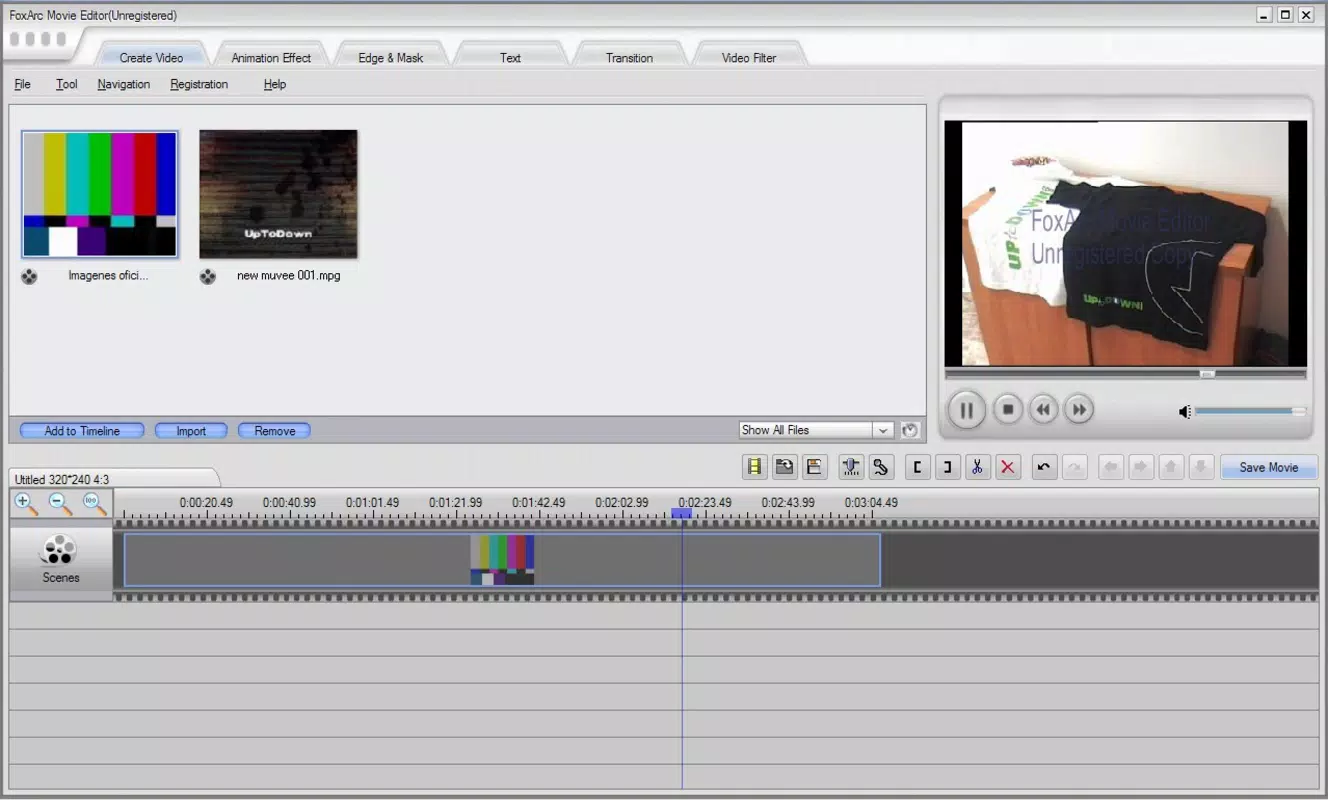
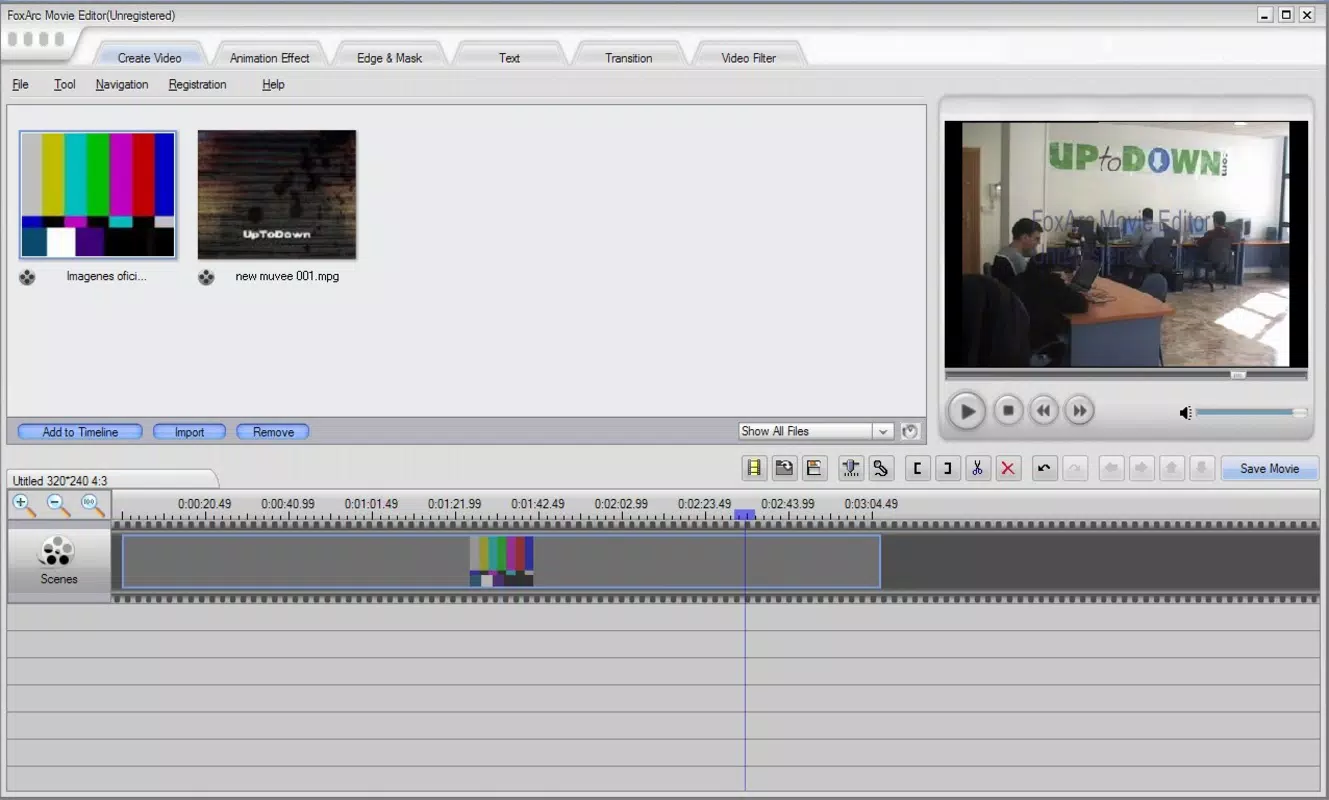
- Intuitive Interface: The layout is designed with clarity and accessibility in mind, featuring a prominent preview window and a clearly organized timeline. This structure allows users to visualize their project in real time while managing clips, audio, and effects without confusion.
- Drag-and-Drop Functionality: Users can effortlessly add videos, images, and audio files to the timeline by dragging them from designated tabs. This feature reduces the learning curve and streamlines the editing workflow, especially for beginners.
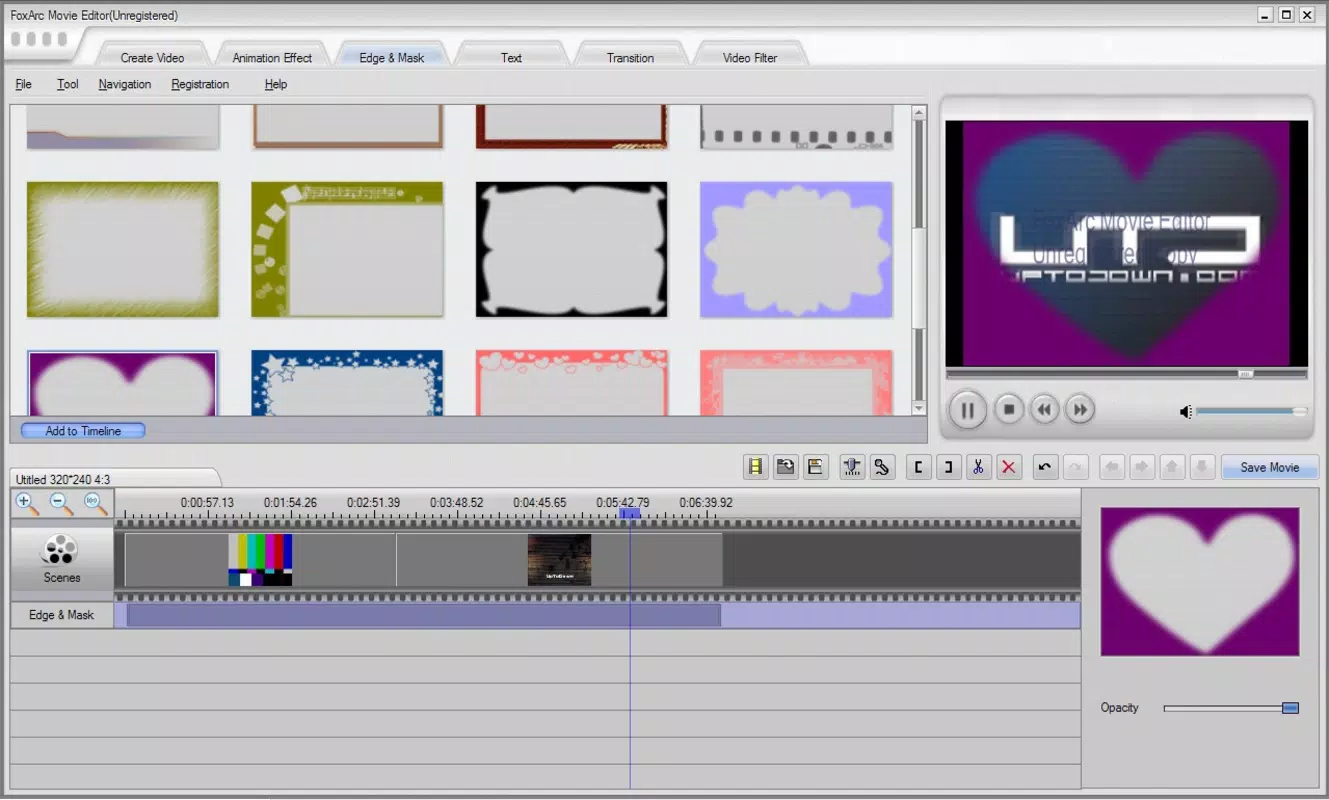
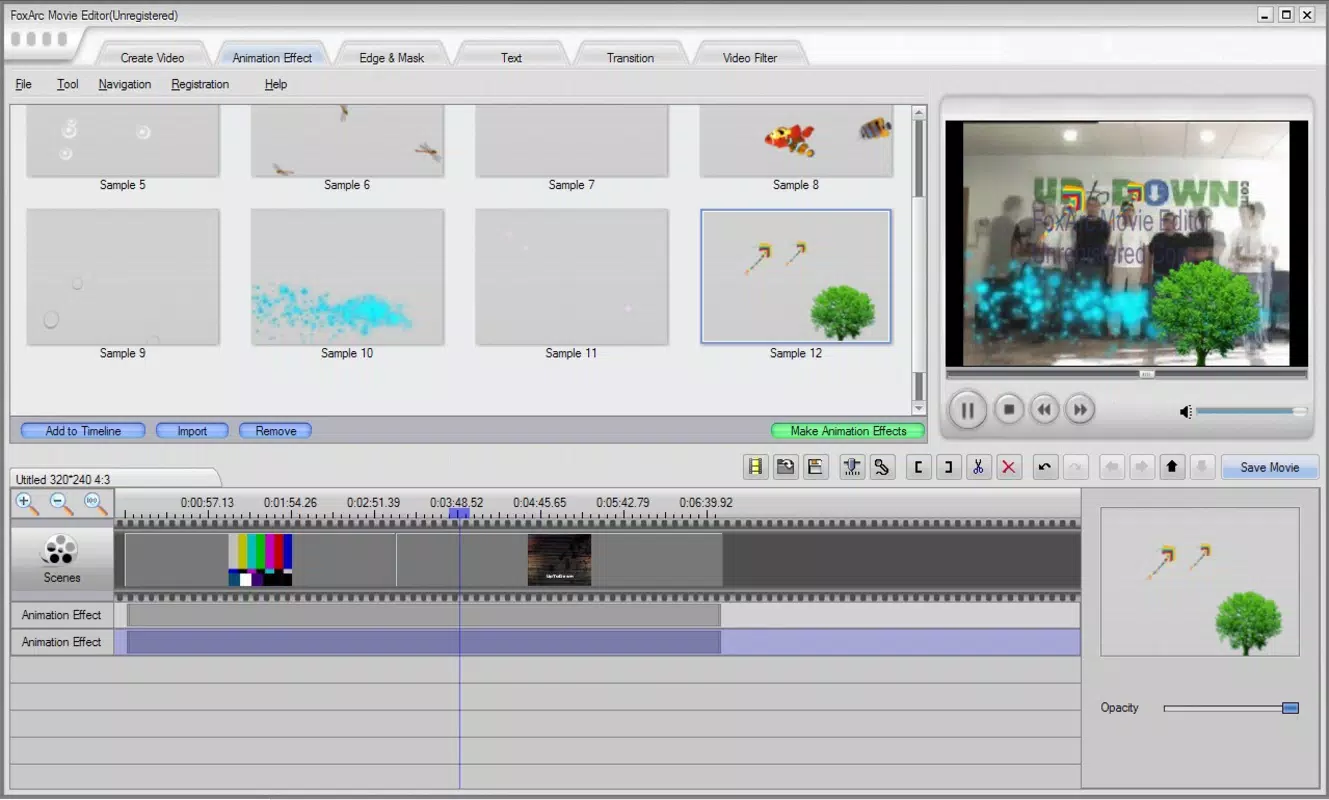
- Animation Effects and Transitions: The app includes a range of built-in animation effects, transitions between clips, and customizable text overlays. These tools enable users to enhance visual storytelling and give their videos a polished finish, even with minimal experience.
- Multiple Export Formats: Upon completion, projects can be exported in formats such as AVI, MPEG, SWF, and 3GP. This flexibility ensures compatibility with a wide array of playback devices, including older smartphones, tablets, and media players.
For example, a user might use the drag-and-drop feature to assemble a birthday video from multiple clips and photos, then apply a fade transition between scenes and overlay a celebratory message. The ability to export in 3GP format would allow direct sharing via SMS or older mobile devices. Similarly, educators could compile lecture segments into a single video and export it in MPEG for classroom presentation. These practical applications demonstrate how the app supports real-world creative workflows.
Interface, UX & Performance
The user interface of FoxArc Movie Editor is structured around simplicity and visual clarity. The main workspace features a central preview area flanked by toolbars and a timeline, enabling users to monitor their project’s progress while making edits. Navigation is straightforward, with clearly labeled tabs for media assets, effects, and export settings. This layout promotes a smooth user experience, especially for those unfamiliar with video editing software.
Although the developer did not list formal performance metrics, the app’s long-standing presence suggests a level of stability across different device categories. Users can expect consistent responsiveness during basic editing tasks such as trimming clips, adding transitions, and applying text. The interface remains functional even on devices with modest hardware specifications, indicating efficient resource management. However, specific requirements for RAM, processor speed, or storage were not disclosed.
Performance on low-end or mid-range smartphones is likely adequate for standard editing operations, though complex effects or high-resolution media may impact responsiveness. The app does not appear to rely heavily on cloud processing, which supports offline usability and faster operation. While no information was provided about crash rates or battery usage, the app’s minimalistic design and lack of intrusive ads suggest a focus on core functionality over monetization.
Platform Compatibility & Technical Requirements
FoxArc Movie Editor is available on Android and iOS platforms, supporting mobile devices with compatible operating systems. The latest version of the app is currently unspecified, and the developer did not provide detailed technical requirements such as minimum OS version or device specifications. The file size is also not publicly disclosed, though the app’s feature set suggests it is optimized for mobile storage constraints.
Compatibility information was not fully disclosed, so users are advised to check their device’s app store listing for updated details. The absence of formal OS version requirements means the app may run on a broad range of devices, but users should verify installation eligibility through their respective app stores. For those seeking to download or install the app, the official channels are recommended to ensure security and authenticity.
Pros and Cons
Pros
- Designed for users of all skill levels, making it accessible to beginners.
- Intuitive layout with a clear timeline and preview area enhances usability.
- Drag-and-drop functionality speeds up the editing process.
- Supports multiple export formats for broad device compatibility.
- Offers built-in effects and transitions to improve video quality.
Cons
- Specific technical requirements, such as OS version or device specifications, were not listed.
- Performance details, including battery usage or memory consumption, were not provided.
- Advanced editing tools, such as color grading or multi-track audio, are not mentioned.
- Developer background and update frequency remain undisclosed.
- No information was shared about in-app purchases or ad presence.
FAQ
Is FoxArc Movie Editor free to download and use?
The app’s pricing model was not specified in the provided information. Users should check the official app store listing for current pricing, including any free versions or in-app purchases.
Can I use FoxArc Movie Editor on both Android and iOS devices?
Yes, the app is available on both Android and iOS platforms. However, specific compatibility details for each OS were not disclosed by the developer.
What file formats can I export my video in?
FoxArc Movie Editor supports export in multiple formats, including AVI, MPEG, SWF, and 3GP, ensuring compatibility with a wide range of devices and platforms.
Is the app safe to download and install?
For secure installation, users should download FoxArc Movie Editor only from official app stores. These platforms provide verified and malware-free versions of the app.
How often is FoxArc Movie Editor updated?
Update frequency was not provided by the developer. Users are encouraged to enable automatic updates in their app store settings to ensure access to the latest version.
Final Thoughts
FoxArc Movie Editor stands out as a reliable and accessible video editing solution for mobile users who value simplicity and versatility. Its intuitive design, drag-and-drop functionality, and support for multiple export formats make it a practical tool for everyday video creation. While it may lack advanced features found in professional software, it delivers sufficient functionality for personal projects, social media content, and educational use.
Users who prioritize ease of use over complex editing capabilities will find the app particularly beneficial. Whether you're compiling memories, creating short videos, or preparing presentations, FoxArc Movie Editor offers a straightforward path to polished results. Its long-standing presence in the market speaks to its enduring utility and user satisfaction.
Download FoxArc Movie Editor now


